
See what good content looks like
Examples & tools
Use these examples when preparing a page. Adapt the wording to the actual content and context.
Describe the useful detail.
The right image description depends on why the photo is on the page.
Read the image guide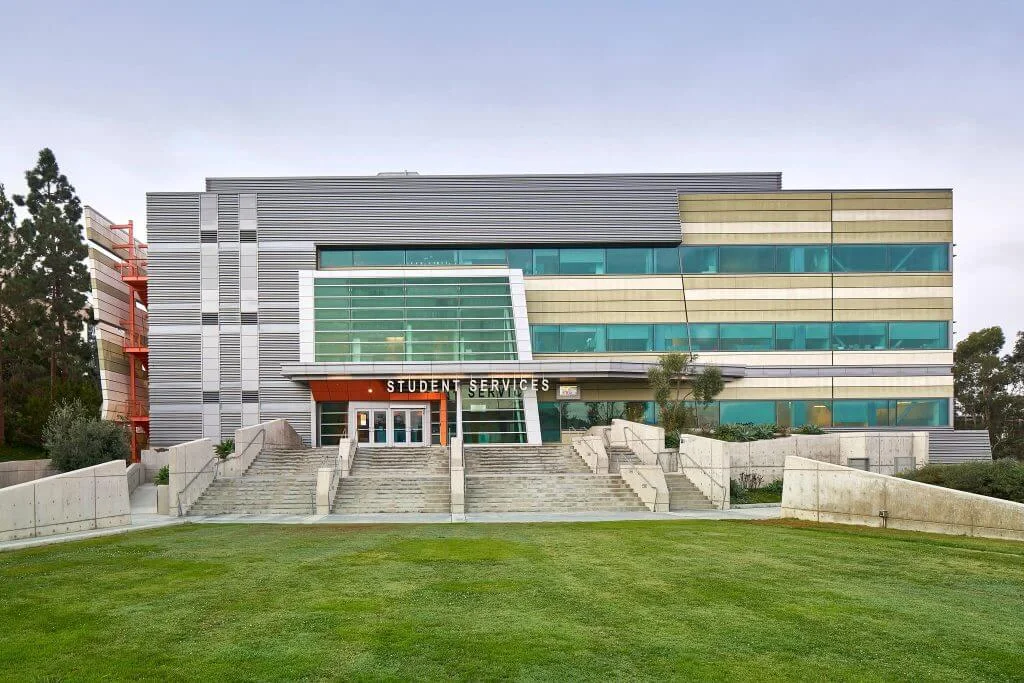
For a project photo gallery
“Student Services building with a glass-fronted entrance, broad steps and a ramp to the right.”
Why it works
It describes the building and the visible approach. It does not repeat a filename, guess a person’s identity or claim the route meets an accessibility standard.
If the image is purely decorative beside equivalent text, an empty alternative may be appropriate. If it is the only content in a link, describe the link’s purpose.
Make the destination clear.
A reader should know what a link is for before opening it.
Read the link guideToo vague
“Click here”
The label says how to interact, not what the reader will find.
More useful
“September oversight meeting agenda (PDF, 240 KB)”
The purpose is clear. File type and size are useful additional cues; use the actual values.
The flyer is not the event page.
Write essential information as real page text, even when a designed flyer is attached.
Read the event guideIllustrative content only. Not a scheduled event.
Construction networking session
- Date and time
- Use the confirmed date, start and end times, and time zone.
- Location
- Give the campus, building, room and street address, or a clearly labeled online meeting link.
- Registration
- Use a descriptive link, such as “Register for the construction networking session.”
- Access and assistance
- Provide the organizer’s verified accommodation contact and confirmed venue access information.
Check that the page and flyer agree. Do not publish placeholders or rely on image alt text to hold all event details.
Check a color pair.
Measure solid text and background colors. This checks one contrast relationship, not an entire page.
W3C contrast guidanceReadable content starts with clear text.
AA text thresholds: 4.5:1 for normal text; 3:1 for large text (at least 24 CSS pixels, or about 18.7 pixels bold). Logos and other specific exceptions are treated differently. Check every state and actual background separately.